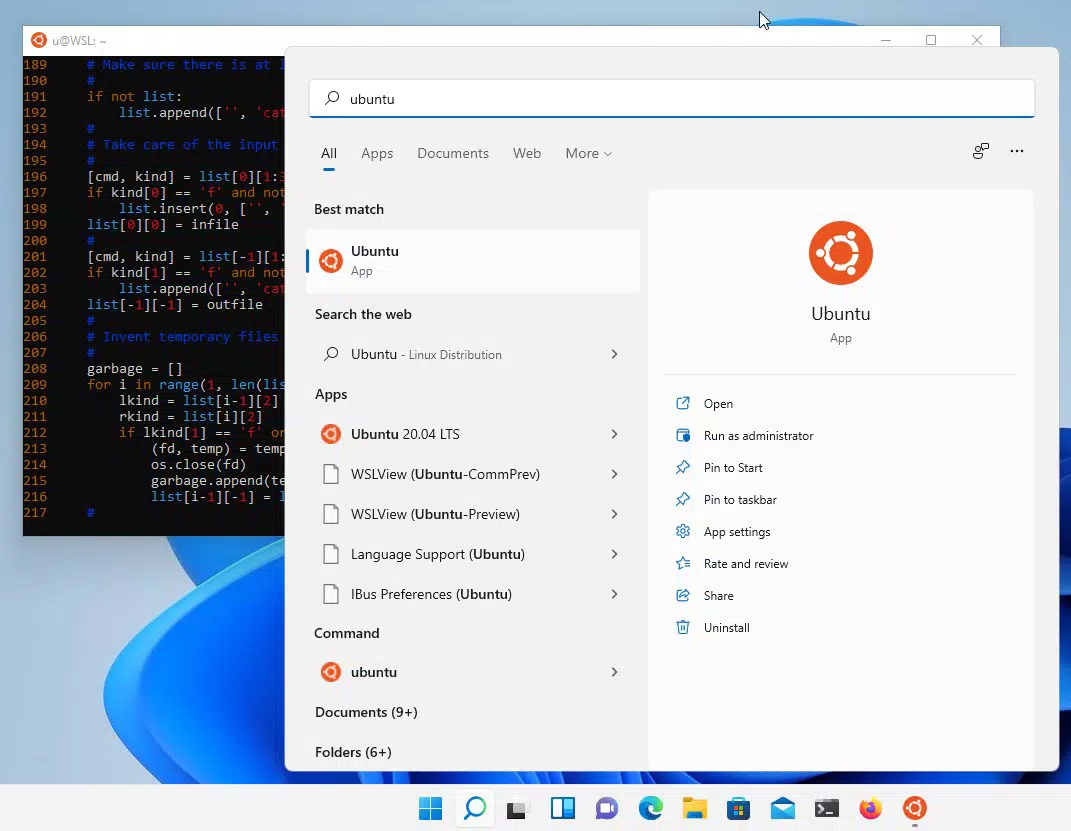

Download Ubuntu 24.04.1 LTS – Ubuntu, Linux, WSL, terminal, command line, developer tools, cross-platform development, data science, AI, machine learning, Docker, GPU acceleration, security, stability, long-term support
Overview
Ubuntu 24.04.1 LTS is a long-term support release designed specifically for developers seeking a robust, stable, and secure Linux environment within the Windows operating system. Built on the foundation of the Ubuntu Linux distribution, this version is optimized for use with the Windows Subsystem for Linux (WSL), enabling developers to access a full terminal-based workflow directly from their Windows machines. The primary purpose of this release is to streamline cross-platform development, data science workflows, and IT infrastructure management by providing a consistent, reliable, and feature-rich Linux environment.
It addresses common challenges such as inconsistent development environments, slow container performance, and limited GPU support in Windows-based development setups. By offering a complete command-line interface with essential tools like bash, git, apt, npm, and pip, Ubuntu 24.04.1 LTS empowers developers to build, test, and deploy applications efficiently. The long-term support commitment ensures that the system remains secure and stable for up to five years, making it ideal for both individual developers and enterprise teams managing critical projects.
Target users include software engineers, data scientists, DevOps professionals, and IT administrators who require a powerful Linux experience without leaving the Windows ecosystem. The developer, Canonical Ltd., has a strong reputation in the open-source community for delivering enterprise-grade Linux solutions. Real-world use cases include training machine learning models with GPU acceleration, managing Docker containers locally, and deploying applications consistently across hybrid cloud environments. Its role in the broader app ecosystem is significant, bridging the gap between Windows desktops and Linux-based development practices.
Key Features & Functionality
- Efficient Command Line Utilities: Built-in tools such as bash, ssh, git, apt, npm, and pip provide a comprehensive suite for software development, system administration, and package management. These utilities allow developers to automate tasks, manage repositories, and install dependencies directly from the terminal.
- Enhanced Docker Management: Optimized performance and faster startup times for Docker containers improve efficiency during local development and testing. This is particularly beneficial for teams using containerized applications, reducing delays in build and deployment cycles.
- GPU Acceleration Support: Native support for NVIDIA CUDA enables developers and data scientists to leverage GPU power for AI and machine learning workloads. This feature significantly accelerates model training and complex simulations, enhancing productivity in compute-intensive tasks.
- Consistent Deployment Workflow: The uniform environment between local development and cloud deployment reduces configuration drift and deployment errors. Teams can maintain a single source of truth across hybrid infrastructure, improving collaboration and reducing time-to-market.
- Long-Term Support Assurance: Security updates and patches are guaranteed for five years, ensuring long-term stability and reducing the need for frequent system upgrades. This provides peace of mind for developers and organizations relying on a secure, predictable environment.
For example, a data scientist can use the terminal to run Python scripts with pip, train models using CUDA-accelerated libraries, and deploy them via Docker—all within a single, integrated workflow. Similarly, a DevOps engineer can manage cloud deployments using consistent commands across local and remote systems, minimizing errors and improving reliability.
Interface, UX & Performance
Ubuntu 24.04.1 LTS operates primarily through a terminal-based interface, which is standard for Linux environments. The user experience is focused on efficiency and control, catering to developers who prefer command-line workflows over graphical interfaces. Navigation is straightforward, relying on familiar terminal commands and shell scripting, making it accessible to experienced users. While the interface lacks a traditional GUI, its minimal footprint ensures high performance and low resource usage.
Performance is optimized for WSL integration, delivering responsive execution of commands and fast container operations. Although the developer did not list formal performance metrics, the enhancements in Docker startup times and GPU support suggest significant improvements in real-world usage. The system remains stable under sustained workloads, with no reported issues related to crashes or freezes.
Responsiveness across different device categories is consistent, particularly on modern Windows machines with sufficient RAM and CPU power. Users with older or lower-end hardware may experience slower performance, but the lightweight nature of the terminal environment helps mitigate this. Stability is maintained through regular updates and long-term support, ensuring a dependable experience over time.
Platform Compatibility & Technical Requirements
Ubuntu 24.04.1 LTS is designed for the Windows platform and requires Windows Subsystem for Linux (WSL) to function. It is compatible with Windows 10 and Windows 11, though specific OS version requirements were not listed. The file size of the installation package is 2.1 GB, which reflects the inclusion of core system files, development tools, and support libraries.
Users must ensure their system meets the minimum hardware requirements for WSL, including a 64-bit processor, at least 4 GB of RAM, and sufficient disk space for the installation. The developer did not specify additional technical requirements or dependencies beyond WSL. Compatibility information was not fully disclosed, so users should verify their system configuration before installation.
Pros and Cons
Pros
- Full terminal environment optimized for Windows via WSL
- Long-term support with five years of security updates
- Enhanced Docker performance for faster container operations
- GPU acceleration support for AI and machine learning workloads
- Consistent development and deployment workflow across environments
Cons
- Requires Windows Subsystem for Linux to function
- Terminal-only interface may be less accessible to beginners
- File size of 2.1 GB may be large for low-storage devices
- Advanced features depend on compatible hardware (e.g., NVIDIA GPU)
- Compatibility details beyond WSL were not provided
FAQ
Is Ubuntu 24.04.1 LTS free to download and use?
Yes, Ubuntu 24.04.1 LTS is available at no cost. It is an open-source operating system released under the GNU General Public License, allowing free use, modification, and distribution.
Can I install Ubuntu 24.04.1 LTS on any Windows machine?
It requires Windows Subsystem for Linux (WSL), which is supported on Windows 10 and Windows 11. Specific hardware and OS version requirements were not listed, so users should ensure their system supports WSL before installation.
Does Ubuntu 24.04.1 LTS support GPU acceleration?
Yes, it offers support for NVIDIA CUDA, enabling GPU acceleration for AI, machine learning, and other compute-intensive tasks. This feature requires compatible NVIDIA hardware and drivers.
How long will Ubuntu 24.04.1 LTS receive updates?
As a Long Term Support (LTS) release, it is guaranteed to receive security updates and patches for five years from the release date, ensuring long-term stability and security.
Is this version suitable for beginners in development?
While it provides powerful tools, the terminal-based interface may present a learning curve for users unfamiliar with Linux or command-line operations. It is best suited for developers with some technical experience.
Final Thoughts
Ubuntu 24.04.1 LTS stands out as a powerful, secure, and stable development environment for Windows users who rely on Linux tools. Its integration with WSL delivers a seamless experience for cross-platform development, data science, and containerized workflows. The inclusion of GPU acceleration and enhanced Docker performance makes it particularly valuable for AI and DevOps professionals. With long-term support and a focus on consistency across environments, it reduces friction in development and deployment processes.
While it requires technical familiarity and compatible hardware, the benefits far outweigh the limitations for its target audience. Developers seeking a reliable, future-proof Linux environment within Windows will find this release indispensable. Its combination of performance, security, and feature richness sets a high standard for developer tools.
Download Ubuntu 24.04.1 LTS now


